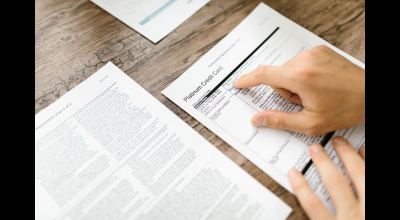
You shoot in Dumbo, with the Manhattan Bridge framed behind the talent and the light right off the cobblestones. You upload the best frame to Instagram and it comes back soft and mushy. Or your website's hero image loads slower than a rush-hour L train, and a client leaves before they see your work. Both problems come down to file size.
The tool we use
We have tried a lot of software and online services, from Photoshop actions to command-line tools. Some belong in print production. For web work, which means showing models, promoting shoots and keeping a portfolio quick, we keep coming back to one free tool: the Image Compressor at dantet9.com/tools/image-compressor. It sits next to my 50mm lens in how often I use it.
Why we picked this one
Many free image compressors are resize tools with a new name. Others are full of ads, or wreck your image quality to hit a smaller file. The Dante's Models Image Compressor analyzes the image and compresses it so the file gets much smaller while the picture looks the same. For photographers and models, highlights, shadows and fine detail matter, so we want smaller files that still look right.
Take a portrait shot in the West Village: the texture of a vintage leather jacket, the catchlight in the model's eye, a brownstone behind. Compressed, it loads almost instantly on a phone and does not look like a watercolor. A slow site or a blurry post costs you clients.
How it works
I shoot everywhere from Times Square to Staten Island, so I do not want to wrestle with complicated software or compression settings. This tool takes seconds.
Drag, drop, done
Say I have just edited a batch of headshots for a new model, shot in our studio in Midtown. The raw files are huge, and even the JPEGs I export from Lightroom are often too big for the web. I open the Image Compressor in a new tab and drag the dozen or so images from my desktop into the browser window. It shows the original size next to the new size.
There is no sign-up, no email and no pop-up asking me to upgrade. I can download each image individually, or hit "Download All" and get a ZIP of the compressed files. Fresh headshots can be on the agency site, or with the talent for their portfolios, within minutes.
Keeping the quality
Our reputation rests on how our work looks, online included. Many free tools get a smaller file by stripping out detail, which leaves visible artifacting, banding and lost sharpness. That is no good for fashion photography or a model's portfolio.
The compressor removes redundant data and keeps the visual information that makes the image work. It makes the file smaller, not the picture. When I compare compressed images against the originals, the difference is hard to see on a browser or a phone screen.
I have used it on beauty shots where every freckle and lash shows, and on cityscapes from a rooftop in Chelsea where every building matters. In my experience, file sizes drop by 50-80% or more. The portfolio loads faster, and Instagram has less to crush.
Other uses for photographers and models
Auditions and email
Agencies and casting directors often set file size limits for submissions. A large, multi-megabyte image can bounce your email or annoy the person reading it. Compress the file first. Photographers can do the same with client proofs, which download faster. Updating a LinkedIn headshot or building an email signature with your latest portrait works the same way.
I also use it for blog images like the ones here, for presentations and for quick previews to collaborators who do not need the full-res file. That covers a street fashion shoot in SoHo and a studio portrait session alike, because the files need the same treatment afterward.
Speed and SEO
A slow site is bad for visitors, and search engines take page speed into account, so big unoptimized images can also make you harder to find.
Speed and visibility
Early on I uploaded huge files straight from the camera, and my portfolio site was sluggish. Once I started compressing images, the site got faster and did better in search. The Image Compressor was a big part of that. Smaller files mean faster page loads, which helps SEO and makes the site better for visitors.
Think of someone scrolling Instagram on the train, or a casting director looking over portfolios on a tablet. They should see your work right away, without waiting for a big file to render.
Who should use it
If you are a photographer, a model starting a portfolio or an agency handling several clients, a reliable, free compressor saves time and keeps images sharp.
Before you post your next batch, whether a rooftop editorial in Brooklyn, a street portrait from the Bronx or a headshot from our studio, run it through dantet9.com/tools/image-compressor. And if you want new images to compress, book a photoshoot with us at dantet9.com.
Cover photo by Pachon in Motion on Pexels.