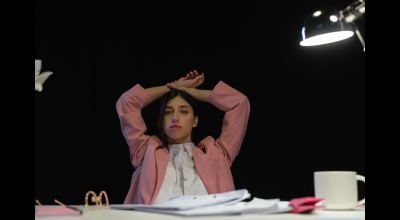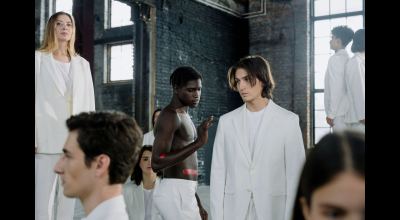
A good before and after shot makes people stop scrolling. It works for a retouch, a lighting change or a styling change, from a quick concept sketch to a finished editorial shoot in a Tribeca loft. It shows your skill without a long caption. We built a free tool that makes these comparisons quick, and we are sharing it with other photographers and models.
The Before/After Slider
The Before/After Slider lives on dantet9.com. Upload two images, say the raw shot straight out of the camera from a West Village street shoot and the final color-graded, retouched version. It generates an interactive slider. You drag a line back and forth to reveal the change. You can then screenshot it or screen record it for Instagram Reels, TikToks or a carousel post.
There is no software to install and no subscription. You do not need layers and masks in Photoshop for a quick comparison. A messy studio next to the finished set for a Midtown fashion shoot works. So does window light in a Bushwick apartment against a strobe setup.
Why use one
An interactive slider holds attention longer than two images side by side, because the viewer does the revealing. It also gets people asking about your technique, and it shows what you do instead of describing it.
Retouching
Much of fashion and portrait work is post-production, from light skin smoothing to background swaps. The slider shows the effect of your retouching without a long caption. Upload the raw file, maybe a headshot from Union Square park with stray hairs and small skin blemishes, then the retouched version. The slider shows the color correction and polish at once. It also helps clients understand why professional retouching costs what it does.
Lighting and styling
Think of a model who walks into our studio fresh-faced and, an hour later with our stylists and makeup artists, comes out in a completely different look. Or a single gelled light that changes a portrait. Show a simple backdrop with available light on one side and the final shot with strobes, reflectors and modifiers on the other.
Models can use it for their portfolios. Raw test shoot images next to the final retouched and lit ones show your versatility under different creative directions, from a white seamless in our NYC studio to a street shoot on the Lower East Side.
Other uses
Sets and process
Show a bare studio or an industrial loft in Bushwick, then the dressed set. Or a rough concept sketch next to the shot you made from it. It gives people a look behind the scenes.
Different looks and moods
On a test shoot in Central Park, compare two styles on the same model, one soft and one edgy. Or a bright high-key shot with a dark low-key one of the same subject. It works as a mini portfolio in a single post.
Teaching and client presentations
Compare a wide-angle lens with a telephoto, or a softbox with a beauty dish. For clients, a swipe from their raw image to the final shot shows what the work involves.
How to use it
Go to the Before/After Slider page on dantet9.com.
- Choose your images. Pick a before and an after that line up. For a portrait, keep the subject in roughly the same position so the viewer sees the changes and not a shift in composition.
- Upload. Drag and drop or upload the two images.
- Generate. The slider appears instantly in your browser.
- Capture it.
- Screen recording. Record yourself dragging the slider back and forth on your phone or computer. It makes a video for Reels, TikTok or LinkedIn. Add audio or a quick voiceover if you like.
- Screenshots. Take several at different slider positions and make a carousel that says "swipe to see the transformation."
- Share. Post it and ask a question in the caption, like "Can you spot all the changes?"
Tips
- Match the framing. Keep the framing and subject position similar in both images.
- Use high-resolution images. The tool handles them and the result looks sharp.
- Write a caption. Say what changed and why. A wardrobe change for a Garment District shoot? A small lighting adjustment that changed the mood?
- Go beyond retouching. Compare camera angles or lens choices for the same subject.
Good images come first
A good comparison needs a good before and a better after. Dante's Models shoots in our NYC studio and on location across the five boroughs, and we handle lighting, styling and post-production. Try the free Before/After Slider. When you want new images, book a photoshoot with Dante's Models at dantet9.com.
Cover photo by Francesco Ungaro on Pexels.